19 April 2010

Making film digital

If you have followed my blog, then you know I have been inspired to take up film photography to escape from digital photography a little bit. Of course I'm not dumping my digital gear, I just want to get back to basics of getting good pictures without worrying too much about appropriate settings digging into the menu of my digital camera. I know I know, film is ancient and expensive in the modern day.

Shooting digital is convenient but there is still advantages of shooting film as I have already mentioned in my previous post. An interesting one is that, we don't have to replace our cameras as sensor technologies improve. Film can even be used on old bodies from the early 90s and the image quality can be still the same as any modern film camera. Film cameras can last for generations, not so for digital, as their sensor becomes obsolete, new replacements will supersede the old ones.

You can choose between scanning film or scanning prints. These are the two ways you can digitise film and scanning film is the cheaper option but are there any benefits of scanning prints?

This comparison is mainly to see which is the better way to work and not about comparing image quality, as original prints are often better looking because scanned prints lose details through the process. We only want to scan prints for archiving purposes or to post images on the web.

I highly recommend a flatbed scanner like the Epson V500, V600 or V700 to do film scanning as they are affordable, versatile and offers in-built dust reduction. Flatbed often have problems with dust, be it on the films or on the scanner, so an auto dust removal included in the scanning software would be very useful to reduce the scanning workload. A dedicated scanner can yield better results but they are normally more expensive but the Plustek 7600Ai is the cheapest dedicated 35mm film scanner, albeit a bit fiddly to use as you have to manually feed the slides.

I got my prints from the lab so I would not know what printer is used. I am only using the Epson V300 for scanning these pictures but this model does not offer auto dust removal. So, here are some sample scans comparisons between film scanning and print scanning:


Print Scan


Film Scan


Print Scan


Film Scan


Print Scan


Film Scan


Print Scan


Film Scan

From what you can see, there is less cropping when you scan negatives, somwhow the lab has cropped some areas off.

Also, there seems to be more detail that exists in the scanned films as compared to the scanned prints.

The dynamic range is better in prints as printers can only print certain amount of dynamic range, much less than what our monitors can show.

Conclusion: (a) Invest on a good flatbed and scan negatives for digital scans. (b) Use darkroom printing for film prints to get the best results.

Diploma of Photography

I have several stuff which came in today by mail and the one most significant is my diploma...!!! Not long ago, I enrolled in an online photography course known as The Photography Institute. You can get more information from the website here, www.thephotographyinstitute.com.au. I just want to let you all know that this website is NOT a scam.

The course will cost you about AUD $1000, check the site for more accurately pricing. The good news is that you can pay the fee by installment, meaning don't have to pay the entire sum at one go. The course is made up of 12 modules and each has an assignment which you have to complete in order to proceed. They have a tutor nominated for you for any questions that you have and your assignments will be graded and commented. The feedback you get is valuable to know where you stand in terms of your skills, knowledge and creativity. For those interested, it is highly recommended if you seek t0 broaden your knowledge in photography, want to take better pictures or even wanting to start a career out of photography.

Here's my proof that the course is legitimate, my diploma in my name:


18 April 2010

Camera Porn Part II

As you all know I have just recently acquired the LENSBABY Composer and you all have seen some sample images. Since then I haven't got the chance to take it outside to take more pictures yet. Anyway, I just want to show you how it looks like on my Olympus E30 DSLR. In addition, I have with me the 0.42x Super Wide Lens what can be attached on the LENSBABY Composer, effectively making the field of view more than 50% wider. Here's how the lens look like:


Now the porn begins...


This is a picture of the Composer on my Olympus E30:


And, this is a picture of the composer with the wide angle lens attached on my Olympus E30:


To me, it looks like nothing I have seen before... alien-like...So, tell me what do you think...

15 April 2010

I love my LENSBABY lens like a baby...!!!

After a possibly boring and overwhelming bucket of information in my previous post, I will post something with lots of FUN. I just got my LENSBABY Composer today and I'm in love with the pictures I got and I want to share with you all. Here's the official website for those who wants to know more; www.lensbaby.com.

Here's my LENSBABY Composer:


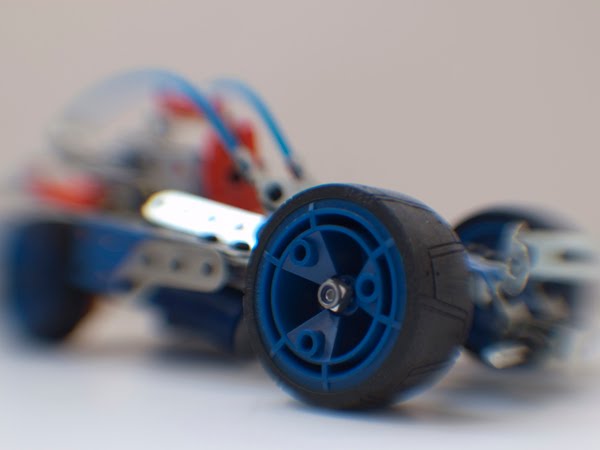
Basically this fun lens gives my the ability to adjust the focus point to anywhere in the image using the ball and socket system. This lens is manual focus lens and it has no electronic communication with the camera at all, so all manual and all fun. and you can get the look you want by shifting the lens up, down, left or right. This is what I got for now... my wife's portraits and my toy car. I will post more pictures in the near future...


As you can see the the LENSBABY can be very sharp as it comes with a double glass optic which gives sharp results. You can even swap the optic inside for a different look. I have got only the plastic optic which gives me a very dreamy look. Here's the LENSBABY plastic optic:


This is what the image look like with the plastic optic:


As you can see it is very dreamy, just like a girl in our wet dreams haha... It is not very practical for everyday use... but if the desired effect is required, I have that option. That's all for now... I will show you more what this lens can do in the near future...

Do not trust your camera's metering

Many of us who use digital cameras started by using Auto mode. In this mode, we simply have to frame a picture and take the shot. The camera takes care of everything else. Then as time goes on, when we are more serious and when we want to control how our pictures will end up we moved on from auto. To take a picture, the camera controls the aperture, shutter speed and ISO values based on the lighting conditions. The exposure of a photographed is determined by these 3 values. You can control these three setting to get the most out of your pictures based on various conditions.

Most of us will use A mode known as Aperture mode as it gives us the control over the depth of field. Although it only applies to DSLRs users as compact cameras do not give much depth of field control. The smaller the value of the aperture, the shallower the depth of field is and vice versa. I will demonstrate more in detail about this later. In this mode, the camera takes care of the shutter speed. ISO values can be changed manually, if not it can be set to auto.

Note: A rule of thumb, there are two ways to get the shallow depth of field:
a) Use a lower aperture value
b) Use a longer focal length lens

The S mode known as shutter speed or Tv mode known as Time Value in Canon camera bodies on the other hand gives us the control of the camera's shutter speed. We want fast shutter speed to freeze action, like in sports or a live performance. Pictures will end up blurry, due to motion, if shutter speed is not fast enough. So make sure your aperture value is low and ISO and its optimum value. The higher the shutter value, the better it is to freeze motion. In this mode, the camera takes care of the aperture value. Again, ISO values can be changed manually here, if not it can be set to auto.

Note: A rule of thumb, for night shots, if you do not want motion blur, make sure your shutter speed is not lower than your focal length that you are using unless your camera setup has image stabiliser be it in the lens or in the camera body.

Not many people use the M mode known as the manual mode because we have to adjust everything ourselves. Any changes in light conditions, we will have to resort to change our camera settings as well to accommodate for the light changes. However, this mode is useful in studio conditions as the lighting conditions are determined by us, hence we want full manual control to get the best results.

Ok here's what this post is about. Many of us rely on the camera's metering system to decide the exposure of an image captured. Our camera's metering system is not perfect. If a picture is underexposed, we can compensate it by adding the Exposure Compensation Value (EV) and vice versa. So how do we know if the exposure is right? There are two ways and no, its NOT by using your eye to judge the LCD screen.

a) We can use the histogram is your camera has it. Its a good practice to use the histogram to ensure good exposure. Some cameras offer live histogram, meaning that the histogram is shown in real time, before shutter is pressed which is a definite plus. Although the histogram may look complicated it is very easy to use it. Here's how:

i) An underexposed image will look like this:


The histogram will look like this:


ii) An overexposed image will look like this:


The histogram will look like this:


iii) A good exposure image will look like this:


The histogram will look like this:


Just make sure that there is not peak at the left and the right side of the histogram and try to center the peak to the center and you will have a perfect exposed image.

b) There is an alternative and faster way for those who happens to be using film or digital cameras that do not have a histogram to begin with. This only works during the day though. This calls for the Sunny F/16 rule. The rule states that in a sunny scene, and I mean sunny not hazy or cloudy, at the setting of ISO 100 and and at the shutter speed of 1/125, perfect aperture is achieved at F/16.

It doesn't have to be at this setting. You can achieve the same thing with any setting: For example: at F/8. Since you overexpose by two stops, (F8-F16 is a two stop difference-read below on how to count stops) compensate the exposure with the value of the shutter speed by underexposing it by 2 stops with 1/400 (1/100 -1/400 is a two stops difference). Don't believe me? Go try it but makes sure its real sunny.

So what happens if its not sunny, well, overexpose it by one stop if there is sun but hazy, two stops if it is cloudy, and three stops if it is overcast. Usually we adjust the shutter speed unless it is at night because it has the least effect on our images. Changing the aperture changes the depth of field, so be careful where you focus.

Note: This is how you count stops:
a) For aperture, the common values are as follow: 1.4, 2, 2.8, 4, 5.6, 8, 11, 16, 22. The values are all of only one stop difference; 1.4-2 is one stop, 8-11 is one stop, even 16-22 is considered one stop. The easiest way to remember is when the value is multiplied by two, it means its two stops.

b) For shutter speed, the common values are as follow: 1/1, 1/2, 1/4, 1/8, 1/15, 1/30, 1,60, 1/125, 1/250, 1/500, 1/1000, 1/2000, 1/4000, 1/8000. These are all at a stop increment. Just remember to multiple the value by two and you get one stop.

c) For ISO values, the common values are as follow: 100, 200, 400, 800, 1600, 3200, 6400. These are all at a stop increment. Just remember to multiple the value by two and you get one stop.

Most cameras now come with more precised adjustments of 1/3 of a stop. So, to make your lives easier just remember to just count the number of clicks of the dial. Three clicks of the camera dial, be it aperture, shutter speed or ISO means only one stop.

Hope this information helps everybody to get better exposed pictures...